
TOP CUSTOMER REVIEW
Strong and durable, space-saving, you can have a better posture while doing your job. Highly recommend!
Coleen
Laptop Stand | Laptop Riser Computer Stand | Laptop Raisers
Easy to use & solidly built. With fully adjustable height & tilt so you can angle the laptop for maximum ergonomic comfort


Original price was: $249.$199Current price is: $199.
FREE FAST DELIVERY ACROSS NEW ZEALAND FOR ALL ORDERS $100+ OR MORE - (Save $25)
If You are having issues with your back then you are at the right place. You can use it either whilst sitting or standing.
With the cool design, it even keeps your laptop cool so that it doesn’t overheat.
SPECIFICATIONS
- Compatible with all laptops from: 10″ up to 17
- Colour: Grey

DUE TO CURRENT DEMAND PLEASE ALLOW 5-7 DAYS DELIVERY
Direct To Your Door - All Across NZ
Original price was: $249.$199Current price is: $199.

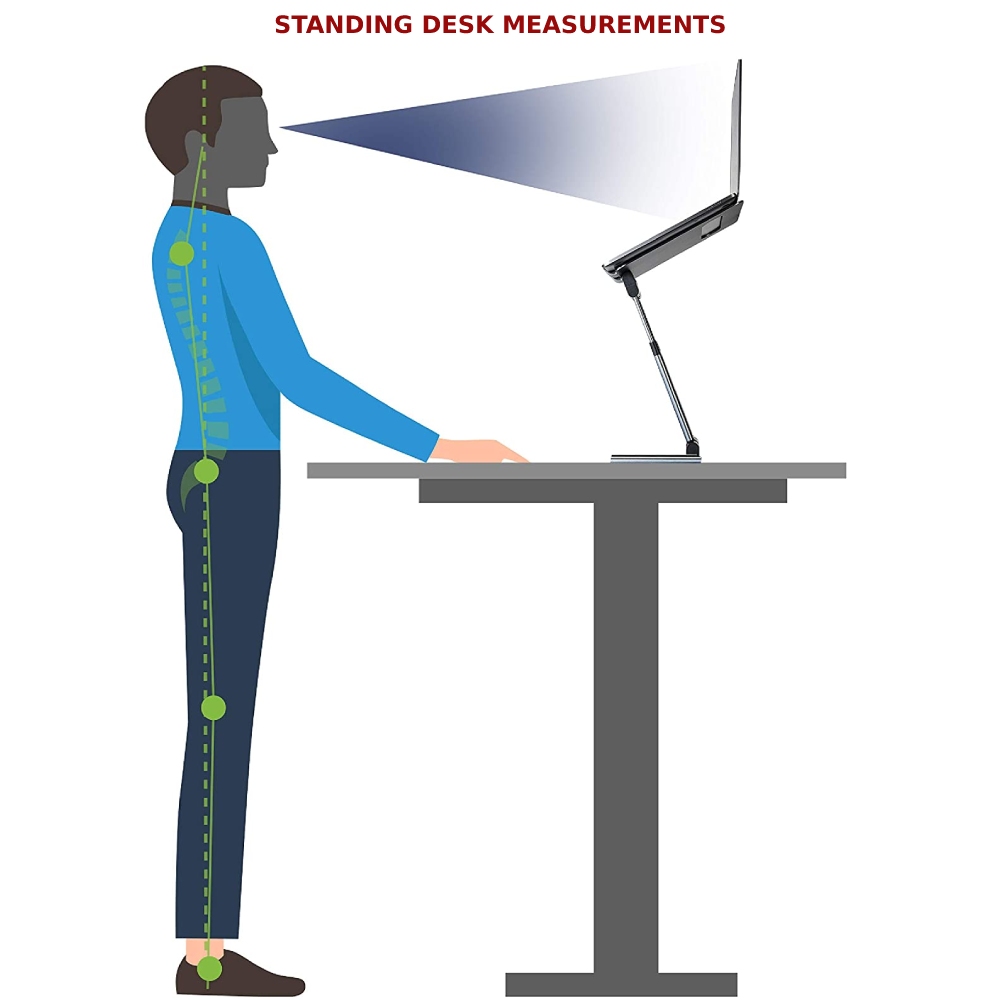
Transform Your Workspace with Active Sit-Stand Flexibility
Customise Your Perfect Viewing Angle
360° Rotation for Enhanced Collaboration
Built for Stability and Strength
Compact Design, Universal Compatibility

-
WHICH PAYMENT METHODS ARE ACCEPTED?
We currently only accept credit card payments, PayPal & Crypto currency. More payment methods will be added in the future.
-
How can I track my order?
Once your order ships, you’ll receive a confirmation email with a tracking link.
-
How do I start a return?
Visit our Returns Center - click here or contact customer support to initiate the process.
-
I HAVEN'T RECEIVED MY ORDER YET! IS IT LOST?
If you have any concerns with your order, please contact our support team by email and they will be glad to assist you. Most emails are answered within 1 business day.
Support Team: theteam@customersupport.care
-
Do I need an account to place an order?
No, you can checkout as a guest. However, creating an account allows for faster checkout and order tracking.
-
When will I receive my refund?
Refunds are processed within 24-48 hours after the returned item is received and inspected.
-
DO YOU HAVE A SHOP LOCATION?
We are a “online supplier”, with no physical shop or premises. In this way, we are able to pass our considerable savings directly to you.
-
Can I modify or cancel my order after it's placed?
Orders can only be modified or canceled within 1 hour of placement. Please contact our support team as soon as possible.
-
HOW DO I KNOW IF MY ORDER HAS BEEN SHIPPED?
Once your order is shipped, it will be marked as complete in our database and you will receive a confirmation email with a tracking number.
-
How can I contact customer support?
You can reach us via email at theteam@customersupport.care or through our AI chat.
-
DO I GET A RECEIPT FOR MY ORDER?
You will be sent a receipt for your order by email after payment is made. You will also receive a confirmation email with a tracking number once your item has been shipped.
-
What is your return policy?
We offer a 15-day return window on most items. Products must be unused and in original packaging.
-
Is my personal information secure?
Yes, we use industry-standard encryption and secure payment gateways to protect your information.
-
How do I place an order?
Simply browse our products, add items to your cart, and proceed to checkout. Follow the prompts to enter shipping details and payment information.
-
WHAT ARE YOUR DELIVERY OPTIONS AND HOW LONG WILL IT TAKE?
- NEW ZEALAND: Free delivery, 5-7 days
- Other countries: Free delivery, 7-10 days
OUR DELIVERY PARTNERS

-
WHAT CURRENCY ARE THE PRICES DISPLAYED IN?
All of our prices are displayed in $NZD - New Zealand Dollars
Why is a Laptop Stand essential for home offices?
How does a Laptop Riser Computer Stand benefit long working hours?
Are Laptop Raisers sturdy and stable for all laptop sizes?
Can a Laptop Stand be adjusted to different heights?
Do Laptop Riser Computer Stands come with additional features?
How portable are Laptop Raisers for travelers?
Is a Laptop Stand compatible with both laptops and tablets?
Can the Laptop Riser Computer Stand improve laptop cooling?
What materials are Laptop Raisers made of?
How does a Laptop Stand contribute to a minimalist workspace?
Are Laptop Riser Computer Stands easy to set up?
What is the weight capacity of a Laptop Raiser?
Do you offer Laptop Stands in different colors or styles?
How do Laptop Riser Computer Stands help in maintaining a good posture?
Can Laptop Raisers be used for presentations?
What differentiates your Laptop Stand from others on the market?
How compact are Laptop Riser Computer Stands when folded?
Are there eco-friendly Laptop Raisers available?
What is the price range of a high-quality Laptop Stand?
How do Laptop Riser Computer Stands aid in workspace organization?
Do Laptop Raisers come with a warranty?
Can a Laptop Stand be used in bed or on a sofa?
Are Laptop Riser Computer Stands adjustable for different viewing angles?
How durable are Laptop Raisers for daily use?
Do you offer customizations on Laptop Stands?
How do Laptop Riser Computer Stands facilitate better workflow?
Can Laptop Raisers be used with external keyboards and mice?
What safety features do your Laptop Stands include?
How quickly can I receive my Laptop Riser Computer Stand after ordering?
Do you offer any discounts or deals on Laptop Raisers?
Maximizing Comfort and Productivity: A Comprehensive Guide to Choosing the Best Laptop Riser Computer Stand
Introduction:
In an era where remote work and digital nomadism are on the rise, the laptop has become an indispensable tool. However, prolonged use of laptops can lead to discomfort and health issues. This is where a “Laptop Riser Computer Stand” comes into play. Not only does it elevate your laptop to eye level, preventing neck strain, but it also enhances your workstation’s ergonomics. This guide will walk you through the benefits of “Laptop Raisers” and how to choose the perfect one for your needs.
The Importance of Ergonomics in Workspaces
Ergonomics is crucial in any workspace setup. Using a laptop flat on a desk for extended periods can cause neck strain, poor posture, and even long-term health issues. A laptop stand or riser elevates the screen to eye level, aligning it with your natural line of sight and promoting better posture.
Different Types of Laptop Stands
Laptop stands come in various designs and materials, including metal, plastic, and wood. Some are adjustable, offering various heights and angles, while others are fixed. Portable stands are great for those on the move, while more robust models are ideal for permanent workstations.
Choosing the Right Laptop Riser Computer Stand
When selecting a “Laptop Riser Computer Stand,” consider the following factors:
- Compatibility: Ensure the stand supports the size and weight of your laptop.
- Adjustability: Adjustable stands offer more flexibility in terms of height and angle.
- Stability: A sturdy stand prevents your laptop from wobbling while typing.
- Portability: If you travel often, a foldable and lightweight stand is preferable.
- Ventilation: Good airflow design helps in cooling your laptop, extending its lifespan.
The Added Benefits of Laptop Raisers
Apart from improving posture, “Laptop Raisers” offer additional benefits:
- They free up desk space, allowing for a more organized workspace.
- They can enhance the laptop’s audio quality by projecting sound more directly at you.
- Some stands come with additional features like USB ports, further enhancing their utility.
Maintenance and Care
Maintaining your laptop stand ensures its longevity. Regular cleaning, tightening any adjustable parts, and storing it properly when not in use are key to keeping it in good shape.
Conclusion: A “Laptop Riser Computer Stand” is more than just an accessory; it’s a crucial tool for anyone looking to create an ergonomic and efficient workspace. Whether you’re a professional working from home, a student, or a digital nomad, investing in a quality “Laptop Raiser” can significantly enhance your work experience and comfort.
The Ultimate Guide to Ergonomic Laptop Stands: Transform Your Workspace Health and Productivity
The modern workplace has undergone a dramatic transformation over the past decade, with laptops becoming the primary computing device for millions of professionals, students, and remote workers worldwide. While these portable machines offer incredible flexibility and convenience, they’ve also introduced a silent epidemic of neck pain, back strain, and repetitive stress injuries that affect people spending hours hunched over their screens.
An ergonomic laptop stand represents one of the most effective and affordable solutions to this widespread problem. By elevating your laptop screen to proper eye level and allowing you to work in a more natural posture, these simple devices can dramatically reduce physical strain while simultaneously boosting productivity and focus. Whether you’re working from home, studying in a library, or hot-desking at a co-working space, understanding how to properly position your laptop could be the difference between ending your workday energised or exhausted.
The Hidden Health Crisis of Laptop Computing
Laptops were originally designed for temporary, portable use – quick tasks during travel or short periods away from a desktop computer. However, they’ve evolved into primary computing devices for billions of people who now spend eight or more hours daily working on them. This shift has created significant ergonomic challenges that many users don’t recognise until physical symptoms become impossible to ignore.
When you use a laptop on a standard desk without elevation, the screen sits far below optimal viewing height, forcing you to tilt your head forward and downward. This seemingly minor adjustment places enormous strain on your neck and upper back. Your head weighs approximately five kilograms, and for every inch it tilts forward from neutral alignment, the effective weight on your neck muscles increases dramatically – tilting forward just 15 degrees can create the equivalent of 12 kilograms of pressure on your cervical spine.
Common Physical Symptoms of Poor Laptop Ergonomics
The physical toll of improper laptop positioning manifests in numerous ways. Neck pain and stiffness are typically the first symptoms people notice, often accompanied by tension headaches that start at the base of the skull and radiate forward. Upper back pain between the shoulder blades develops as muscles work constantly to support the forward head position, while rounded shoulders become both a cause and consequence of poor posture.
Beyond immediate discomfort, long-term consequences can include chronic pain conditions, reduced lung capacity from compressed chest positioning, increased risk of degenerative disc disease in the cervical spine, and even digestive issues from prolonged slouching that compresses abdominal organs. Eye strain and visual fatigue worsen when screens are positioned too low, forcing your eyes to work harder throughout the day.
The Productivity Cost of Physical Discomfort
Physical discomfort doesn’t just affect your body – it significantly impacts mental performance and work quality. Research consistently demonstrates that people experiencing pain or physical tension show reduced cognitive function, decreased focus, and impaired decision-making abilities. When you’re constantly shifting position trying to get comfortable or dealing with nagging pain, your attention diverts from your work to your discomfort.
The cumulative effect means fewer productive hours, more frequent breaks needed to stretch or recover, increased errors in work output, and higher stress levels overall. Organisations and individuals investing in proper ergonomic equipment consistently report improved productivity, better work satisfaction, and reduced absenteeism related to musculoskeletal complaints.
Understanding Proper Ergonomic Laptop Positioning
The Ideal Screen Height and Distance
Proper laptop ergonomics start with screen positioning. Your laptop display should sit at or slightly below eye level when you’re seated or standing in a comfortable, neutral posture. The top of the screen should align roughly with your horizontal line of sight, meaning your eyes naturally fall to the upper third of the display without requiring neck flexion.
Viewing distance also matters significantly. Position your laptop approximately 50-70 centimetres from your eyes – about arm’s length. This distance reduces eye strain while keeping text and images clearly legible without requiring you to lean forward. If you find yourself squinting or moving closer to read, increase your display’s font size rather than compromising your posture.
Creating Neutral Body Alignment
Beyond screen position, comprehensive ergonomic setup addresses your entire body position. Your ears should align vertically with your shoulders when viewed from the side, avoiding the forward head posture so common in laptop users. Shoulders should remain relaxed and down, not hunched or elevated. Your upper arms should hang naturally from your shoulders with elbows bent at approximately 90 degrees.
When using an elevated laptop with an external keyboard, your wrists should remain straight or slightly extended, never sharply bent upward or downward. Your lower back should maintain its natural curve, supported by your chair if seated. Feet should rest flat on the floor or a footrest, with thighs roughly parallel to the ground and knees at a similar 90-degree angle.
Key Features of High-Quality Ergonomic Laptop Stands
Height Adjustability for Personalised Positioning
The most critical feature of an effective laptop stand is comprehensive height adjustment. Everyone’s body proportions differ – what works perfectly for someone 160 centimetres tall won’t suit someone 190 centimetres tall. Premium adjustable stands offer a wide range of height settings, typically from just a few centimetres of elevation up to 30-40 centimetres or more for standing desk applications.
Quality adjustment mechanisms remain stable once set, without gradual slippage during use. Whether using friction-based systems, locking mechanisms, or telescoping designs, your chosen height should stay fixed even when you’re typing vigorously or adjusting your laptop. Smooth, easy adjustment encourages you to actually modify the height as needed rather than accepting a less-than-ideal position because changing it feels too difficult.
Angle Adjustment for Optimal Viewing
Beyond vertical height, the ability to tilt your laptop forward or backward fine-tunes your viewing angle for maximum comfort. This proves especially valuable if you frequently switch between different seating heights or work in various locations. A few degrees of tilt adjustment can make a substantial difference in reducing neck strain and minimising screen glare from overhead lighting.
Some advanced stands incorporate compound adjustment, allowing simultaneous height and angle changes that work together to achieve your ideal screen position. The goal is positioning the screen so you can view it comfortably with minimal neck movement, maintaining that neutral cervical spine alignment that protects long-term neck health.
360-Degree Rotation for Enhanced Flexibility
Rotational capability adds remarkable versatility to laptop stands, particularly valuable in collaborative work environments. The ability to quickly swivel your screen allows you to share information with colleagues, switch between individual work and group discussions, or simply change your viewing angle throughout the day to vary your posture slightly and prevent static positioning.
This feature proves especially useful during video conferences or presentations, enabling you to adjust your laptop’s orientation without moving the entire stand or disrupting your workspace layout. Even for individual work, occasional rotation adjustments can help you find slightly different comfortable positions throughout long work sessions, reducing the fatigue that comes from maintaining any single posture for extended periods.
Sturdy Construction and Stability
A laptop stand must remain rock-solid during use. Any wobbling or instability while typing creates both physical frustration and potential safety concerns for your expensive laptop. High-quality stands use robust materials – typically aluminium alloy, steel, or reinforced engineering plastics – and thoughtful engineering to create a stable platform even at maximum height extension.
Weight capacity specifications tell you how much load the stand can safely support. Most quality stands handle laptops from compact 11-inch models up to hefty 17-inch gaming or professional workstations weighing several kilograms. Wide bases, anti-slip feet, and low centres of gravity all contribute to preventing tip-overs and ensuring your laptop remains secure throughout your workday.
Ventilation and Cooling Design
Laptops generate substantial heat during operation, and poor ventilation can lead to thermal throttling, reduced performance, and shortened component lifespan. Quality laptop stands incorporate open designs that promote airflow around and beneath your laptop, helping it run cooler and more efficiently than when sitting flat on a desk surface.
Elevated positioning naturally improves air circulation, but the best stands go further with strategically placed ventilation cutouts, mesh platforms, or raised support points that minimise contact with your laptop’s bottom panel. This proves particularly important for high-performance laptops running demanding applications that generate significant heat under load.
The Transformative Benefits of Sit-Stand Capability
Breaking the Sitting Epidemic
Extended sitting has been called the new smoking due to its extensive health impacts. Even with perfect seated posture, remaining stationary for hours reduces circulation, slows metabolism, and contributes to numerous chronic health conditions. A laptop stand with sufficient height range enables sit-stand working, where you alternate between seated and standing positions throughout your day.
This movement variation provides remarkable benefits beyond just reducing sitting time. Changing positions regularly prevents the muscle fatigue and stiffness that develops from any static posture, whether sitting or standing. The act of transitioning itself increases blood flow and energy levels, helping combat the afternoon energy slump many office workers experience.
Implementing Effective Sit-Stand Routines
The key to successful sit-stand working isn’t standing all day – that creates its own problems. Instead, aim for regular transitions between positions. Start conservatively with 15-20 minutes of standing per hour, gradually increasing as your body adapts. Listen to your physical responses; some discomfort during the adjustment period is normal, but pain signals you should ease back.
Vary your standing posture just as you would sitting positions. Shift weight between feet, occasionally rest one foot on a small platform or footrest, and avoid locking your knees. Good footwear or an anti-fatigue mat can make standing periods more comfortable, especially when you’re building up standing stamina. The goal is active variation rather than replacing one static position with another.
Standing Desk Benefits Beyond Back Health
While reduced back and neck strain are primary motivators for sit-stand setups, additional benefits make this adjustment worthwhile. Many people report improved focus and energy during standing periods, as increased blood flow delivers more oxygen to the brain. Standing naturally encourages subtle movements – weight shifting, stepping in place – that contribute to daily activity levels without requiring dedicated exercise time.
Some research suggests standing during afternoon hours helps combat post-lunch drowsiness more effectively than caffeine. The slightly more active engagement required for standing often improves alertness during video calls or detailed tasks. Even the psychological benefit of feeling more dynamic and less sedentary can enhance overall work satisfaction and mental wellbeing.
Choosing the Right Laptop Stand for Your Needs
Assessing Your Primary Use Case
Different work styles and environments call for different stand characteristics. If you work primarily from a single dedicated home office, a heavier, more substantial stand with extensive adjustment range makes sense. The added stability and features justify any reduced portability since you won’t be moving it frequently.
For people working across multiple locations – home, office, cafés, co-working spaces – portability becomes crucial. Look for stands that fold compactly, carry easily, and set up quickly without tools or complex procedures. Weight matters when you’re transporting your stand daily, though you’ll need to balance portability against the stability that heavier construction provides.
Compatibility Considerations
Ensure your chosen stand accommodates your laptop’s size and weight. Most quality stands specify minimum and maximum laptop dimensions they support, typically ranging from 10-inch tablets up to 17-inch laptops. Support platforms should be wide enough to prevent your laptop from overhanging edges, yet not so large that the stand becomes unnecessarily bulky.
Consider whether you might want to use the stand with tablets or other devices. Versatile stands with adjustable width and non-slip surfaces can serve multiple purposes, potentially reducing the number of accessories you need. If you switch between different devices throughout your day, this flexibility proves valuable.
Material Quality and Durability
Material choice significantly impacts both longevity and user experience. Aluminium alloy stands offer excellent strength-to-weight ratios, resist corrosion, and often feature attractive brushed finishes that complement modern devices. Steel provides maximum stability and load capacity but adds weight. High-grade plastics and composites can offer surprising strength while keeping weight and costs manageable.
Examine adjustment mechanisms closely. Poorly designed joints and locking systems fail over time, becoming loose or difficult to adjust. Quality stands use robust hardware, smooth-operating hinges, and reliable locking mechanisms that maintain precise positioning through thousands of adjustment cycles. Read user reviews focusing on long-term durability rather than just initial impressions.
Maximising Your Laptop Stand Investment
The Essential External Keyboard and Mouse
Here’s the crucial point many people miss: an elevated laptop screen should be paired with an external keyboard and mouse. When your laptop sits at proper viewing height, its built-in keyboard is too high for comfortable typing, forcing your shoulders up and your arms into awkward positions. This negates much of the ergonomic benefit the stand provides.
External input devices allow you to maintain proper screen height while keeping your hands and arms in neutral, comfortable positions for typing and navigation. Wireless options eliminate cable clutter and provide maximum positioning flexibility. Even inexpensive external keyboards and mice deliver significant ergonomic improvements compared to reaching up to a laptop keyboard positioned at screen height.
Proper Setup and Positioning
Take time to properly configure your workspace. Position your keyboard approximately 10-15 centimetres from your desk edge, allowing your forearms to rest comfortably without reaching. Your mouse should sit at the same height as your keyboard, close enough to reach without extending your arm excessively. Many people position their mouse too far away, leading to shoulder strain.
Lighting matters for reducing eye strain. Position your laptop to minimise glare from windows or overhead lights. If glare is unavoidable, consider a screen protector designed to reduce reflections. Your workspace should be well-lit overall but without direct light sources shining into your eyes or creating harsh reflections on your screen.
Creating Effective Work Routines
Even with perfect ergonomic setup, the human body isn’t designed for hours of uninterrupted work in any position. Implement regular movement breaks every 30-60 minutes. Stand up, walk briefly, perform simple stretches targeting your neck, shoulders, and back. These micro-breaks maintain circulation, prevent muscle stiffness, and give your eyes a rest from screen focus.
Use the Pomodoro Technique or similar time management approaches that build regular breaks into your workflow. During breaks, look at distant objects to rest your eyes from near-focus work. Simple stretches like shoulder rolls, neck stretches, and torso twists take just minutes but provide substantial relief from static positioning.
Advanced Ergonomic Considerations
Monitor Addition for Expanded Workspace
Many professionals find that adding an external monitor to their laptop significantly enhances productivity. Your laptop stand becomes part of a dual-screen setup, with options for various configurations. Some people elevate their laptop as a secondary display while using a large external monitor as their primary screen. Others position monitors side-by-side at equal height for seamless workflow across both screens.
When using multiple displays, position the screen you use most directly in front of you at optimal height and distance. Secondary displays should be positioned within easy head-turning range, ideally no more than 35 degrees off-centre. Avoid setups that require constant large head movements or extreme neck rotation that can create new ergonomic problems.
Addressing Lower Body Ergonomics
While laptop stands address upper body positioning, complete ergonomic setup requires attention to your entire body. Your chair should provide adequate lumbar support, adjustable height to position your feet flat on the floor, and comfortable seat depth that doesn’t compress the backs of your knees. Armrests should support your elbows at 90 degrees without elevating your shoulders.
If your desk height can’t accommodate proper leg positioning, a footrest helps. This simple accessory lets you maintain good upper body posture even when chairs or desks don’t adjust ideally. When standing, consider an anti-fatigue mat that reduces stress on feet, legs, and lower back during extended standing periods.
Environmental Factors
Temperature affects comfort significantly during long work sessions. Cooler temperatures generally improve focus and reduce fatigue, though individual preferences vary. Good air circulation prevents stuffiness without creating uncomfortable drafts. Plants in your workspace can improve air quality while providing visual relief and psychological benefits.
Noise levels impact concentration and stress. If you work in noisy environments, quality noise-cancelling headphones or white noise can help. Alternatively, moderate background sound like café ambience helps some people focus better than complete silence. Experiment to find your optimal acoustic environment.
Special Considerations for Different Work Scenarios
Remote Work and Home Office Setup
Home workers face unique ergonomic challenges, often lacking the proper furniture and setup of traditional offices. A quality laptop stand becomes even more valuable when you’re working from a dining table, spare bedroom, or improvised workspace. The portability and adjustability let you adapt to whatever space you have available while maintaining proper ergonomic positioning.
Consider creating multiple work zones in your home with different stands or portable setups. This allows you to change environments throughout the day, providing mental refreshment alongside physical position changes. Working in the same spot for eight hours becomes mentally stale even when physically comfortable, so environment variation supports both productivity and wellbeing.
Students and Educational Settings
Students spend enormous time on laptops but often in varied, less-than-ideal locations – library desks, dorm rooms, lecture halls, cafés. A portable laptop stand proves invaluable for maintaining good posture regardless of study location. The investment pays dividends not just in immediate comfort but in establishing healthy habits that prevent chronic problems developing during years of intensive study.
Lightweight, compact designs work best for students who carry their setup between classes or study locations. Quick setup without tools ensures the stand actually gets used rather than staying in a bag because deployment feels too complicated. Even basic elevation beats hunching over a flat laptop during long study sessions.
Creative Professionals and Demanding Applications
Designers, video editors, developers, and other professionals running intensive applications benefit especially from laptop stands with excellent cooling properties. Heat management becomes critical when pushing laptop hardware limits for extended periods. Stands with generous ventilation and airflow prevent thermal throttling that degrades performance during demanding work.
These users also often benefit from maximum height adjustment range for standing work capability. Creative work involving long hours of focused concentration becomes more sustainable when you can vary positions and maintain energy through movement. The combination of proper ergonomics and optimal device performance directly impacts work quality and efficiency.
Maintenance and Long-Term Care
Keeping Your Stand in Optimal Condition
Quality laptop stands require minimal maintenance but benefit from occasional attention. Periodically check adjustment mechanisms and tighten any screws or joints that have loosened through regular use. Clean the platform and support surfaces with appropriate cleaners that won’t damage materials or leave residue that might affect your laptop.
Lubricate moving parts occasionally if rotation or adjustment becomes stiff, using appropriate lubricants that won’t attract dust or create mess. Store portable stands in protective cases when transporting them to prevent scratches or damage to finish. Even simple care ensures your stand maintains its appearance and function through years of daily use.
Recognising When Replacement Becomes Necessary
Well-made stands last for years, but eventually wear or changing needs may require replacement. If adjustment mechanisms no longer hold position reliably, if structural components show cracks or bending, or if stability has degraded to the point of concerning wobbling, replacement ensures continued safety and ergonomic benefit.
Changing work requirements might also prompt upgrades. Moving from primarily seated work to frequent sit-stand transitions requires greater height range. Switching to larger or heavier laptops may exceed your current stand’s capacity. Rather than compromising ergonomics, view these transitions as opportunities to upgrade to features that better serve your evolved needs.
The Broader Wellness Picture
Ergonomics as Part of Holistic Health
While a laptop stand significantly improves your work setup, remember it’s one component of comprehensive wellness. Regular exercise, adequate sleep, proper nutrition, stress management, and mental health care all contribute to your overall ability to work comfortably and productively. Physical therapy or massage can address existing issues while you prevent future problems through better ergonomics.
Don’t ignore persistent pain or discomfort even with improved ergonomics. These symptoms might indicate underlying conditions requiring professional medical attention. A laptop stand prevents many problems but isn’t a cure-all for existing injuries or chronic conditions that need proper diagnosis and treatment.
Building Sustainable Work Habits
The best ergonomic equipment provides little benefit without consistent use and attention to healthy work patterns. Build awareness of your posture throughout the day. When you notice yourself slouching or leaning forward, take it as a prompt to adjust position and take a brief movement break.
Combine ergonomic workspace setup with regular exercise that strengthens core muscles, improves flexibility, and builds the physical resilience needed for long desk work hours. Activities like yoga, swimming, and strength training complement proper ergonomics by developing the muscular support that maintains good posture naturally.
Conclusion: Investing in Your Long-Term Health and Productivity
An ergonomic laptop stand represents one of the most cost-effective investments you can make in your physical health and work performance. For a modest one-time expense, you gain daily benefits that compound over months and years – reduced pain and discomfort, improved focus and productivity, better energy levels, and prevention of chronic conditions that could create far more significant problems and expenses down the road.
The transformation from working hunched over a flat laptop to using a properly elevated display with external input devices is immediately noticeable. Most people report that within days, they wonder how they ever worked without proper positioning. Neck and shoulder tension that seemed like inevitable aspects of computer work often diminish significantly or disappear entirely with correct setup.
Don’t view ergonomic equipment as optional luxury or something only needed after problems develop. Prevention is dramatically more effective and less costly than treatment of established chronic conditions. Whether you’re starting your career, studying intensively, working remotely, or spending hours daily on your laptop for any reason, proper ergonomic setup should be considered essential rather than optional.
The flexibility and adjustability of quality laptop stands mean they adapt to changing needs over time. Different work locations, varying tasks, ageing and body changes – a versatile stand accommodates these shifts while continuing to provide the core benefit of proper screen positioning. This makes your investment truly long-term, supporting healthy work habits for years to come.
Take action today to improve your workspace ergonomics. Your body will thank you not just tomorrow, but for decades to come. The difference between ending your workday energised and capable versus exhausted and aching often comes down to simple setup adjustments that position your technology to serve your body’s needs rather than forcing your body to contort to your technology’s limitations. Make that change now, and experience the remarkable difference proper ergonomics creates in both your immediate comfort and your long-term health.
7 reviews for Laptop Stand | Laptop Riser Computer Stand | Laptop Raisers
Only logged in customers who have purchased this product may leave a review.
Related products
-
Sale!
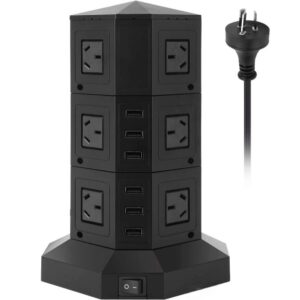
Desk Power Strip | Removable Desk Mount Power Socket
Original price was: $149.$119Current price is: $119. -
Sale!
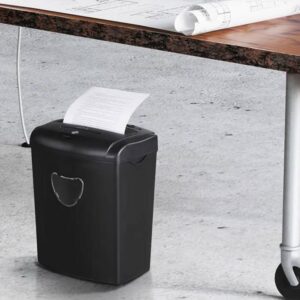
Home Office Shredder | Paper & Credit Card Shredder
Original price was: $199.$179Current price is: $179. -
Sale!
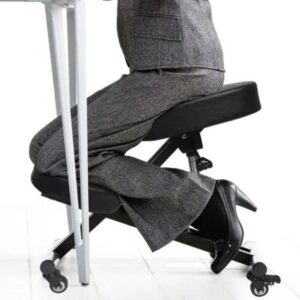
Ergonomic Kneeling Chair | Posture Office Chair | Chair Kneeler
Original price was: $299.$249Current price is: $249.
Janela –
I’m happy with my purchase as it satisfied the need to raise the laptop to eye level wether sitting or standing and that’s what I wanted.
Samantha –
This stand is perfect for teaching and doing work with my MacBook Pro! It is adjustable for sitting or standing (like a podium) at my dining room table or any height in between. It is sturdy, and the best part is that its design allows you to angle the stand so that, combined with the way you angle your laptop, whether sitting or standing you can keep the top of the laptop screen at eye level.
Michelle –
I bought this stand because of the impressive height adjustability, and boy does it not disappoint. I could raise my laptop screen probably 12″ higher than shown here, if I wanted to. And this thing is rock solid.
Tina –
Its a well designed product, nice finish, good construction.
Jason –
The ergonomic laptop stand for desk with an adjustable height of twenty inches is both reliably balanced and simply elegant in design. This unit is worth every penny because it will clearly last a good long time.
Joel –
I have been using this laptop stand to create a standing desk at my kitchen counter, and it has served this function perfectly. It allows the bottom of my laptop to be lifted to a max height of approximately 13 inches from the countertop. It is very attractive and has a small footprint, so I leave it out pretty much all the time. I was worried that I might not be able to use the keyboard easily due to the lip that keeps my laptop in place, and due to the pressure that typing places on the adjustable height mechanism, but I have been able to type very comfortably with no problems at all.
Eva –
All I can say is that this is by far the winning stand on the market!